Jagged Peaks Finder
Exact biome coordinates from your seed, Java & Bedrock.
Use our Minecraft Biome Finder to find any biome by seed, including rare biomes like Cherry Grove, Deep Dark, Mangrove Swamp, and more for Minecraft Java & Bedrock.
SELECT YOUR BIOMES
Exact biome coordinates from your seed, Java & Bedrock.
Exact biome coordinates from your seed, Java & Bedrock.
Exact biome coordinates from your seed, Java & Bedrock.
Exact biome coordinates from your seed, Java & Bedrock.
Exact biome coordinates from your seed, Java & Bedrock.
Exact biome coordinates from your seed, Java & Bedrock.
Exact biome coordinates from your seed, Java & Bedrock.
Exact biome coordinates from your seed, Java & Bedrock.
Exact biome coordinates from your seed, Java & Bedrock.
Exact biome coordinates from your seed, Java & Bedrock.
Exact biome coordinates from your seed, Java & Bedrock.
Exact biome coordinates from your seed, Java & Bedrock.
Exact biome coordinates from your seed, Java & Bedrock.
Exact biome coordinates from your seed, Java & Bedrock.
Exact biome coordinates from your seed, Java & Bedrock.
Exact biome coordinates from your seed, Java & Bedrock.
Exact biome coordinates from your seed, Java & Bedrock.
Exact biome coordinates from your seed, Java & Bedrock.
Find any biome in your Minecraft world using your seed and coordinates. Our Biome Finder locates rare and common biomes including cherry groves, mushroom islands, pale gardens, mesa bryce, and more. Supports both Java and Bedrock Edition across all major versions.
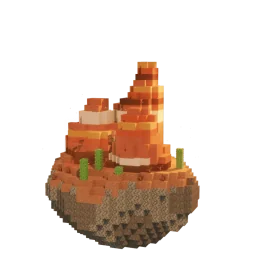
Some of the hardest biomes to find naturally include mushroom islands (the only place in the game where hostile mobs cannot spawn), mesa bryce (unique terracotta pillars with gold ore at any Y-level), cherry groves (the exclusive source of cherry wood), and pale gardens (added in 1.21.4 with creaking mobs at night). Use our mushroom island finder, mesa bryce finder, cherry grove finder, and pale garden finder to get exact coordinates without crossing thousands of blocks blindly.
The deep dark biome only generates at Y -1 and below, inside large cave systems beneath mountains and plateaus. You cannot find it from the surface — you have to dig down. Deep dark patches often contain an ancient city, home to the Warden and the best loot in the game. Use the biome finder to see where deep dark exists in your seed, then use our ancient city finder for exact structure coordinates.
Enter your world seed and current coordinates, then select the biome you are looking for. Diamond Finder uses Minecraft's world generation algorithm to calculate the nearest biome location and returns exact X, Y, Z coordinates you can follow in-game. Biome generation differs between Java and Bedrock Edition, so make sure to select the correct edition and the version your world was originally created in for accurate results.
Paste your world seed into the biome finder, choose Java or Bedrock Edition, and the tool generates a full biome map of your world with exact coordinates for every biome — no exploring required.
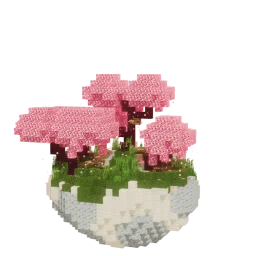
Cherry grove biomes spawn in mountain regions and were added in Java 1.20. They are relatively rare — the fastest way to find one is to enter your seed in the biome finder and search for cherry grove on the map. You can also follow mountain ranges in your world since cherry groves only generate at higher elevations.
Deep dark biomes only generate at Y -1 and below, inside large cave systems beneath mountain biomes and plateaus. Surface exploration will not find one — you have to dig down. The biome finder shows you exactly where deep dark patches exist in your world so you can mine straight to an ancient city.
Pale gardens were added in Java 1.21.3 (The Garden Awakens) and only generate within or adjacent to dark forest biomes. They are rare and small. Use the biome finder to locate one in your seed instead of searching every dark forest manually.
Yes. Run /locate biome <biome_id> in chat — for example /locate biome minecraft:cherry_grove. This requires cheats enabled and only works in Java Edition. The biome finder gives the same result without enabling cheats, and works on Bedrock seeds where /locate biome is unavailable.
Yes. The biome finder supports both Java and Bedrock Edition seeds. Bedrock uses a different world generation algorithm, so make sure to select the correct edition when you enter your seed.